If a user cannot log into a Mac due to the amount of profiles currently logged in or a full HDD.
A script can be ran from Mosyle Manager that will free up the system. As it stands, I have automated it to push this script to all Macs in T4 and MU2 every Friday at 6:30pm.
The script is:
#!/bin/bash Detects and Deletes Local Accounts
echo "Detecting and deleting local accounts..."
# List all users, exclude system/service accounts
local_users=$(dscl . list /Users | grep -v '^_' | grep -v daemon | grep -v nobody | grep -v root | grep -v Guest | grep -v localadmin)

for user in $local_users; do
    # Check AuthenticationAuthority
    auth=$(dscl . -read /Users/$user AuthenticationAuthority 2>/dev/null)

    if echo "$auth" | grep -q "ShadowHash"; then
       echo "Deleting local account: $user"
       sudo sysadminctl -deleteUser "$user"
    else
        echo "Skipping non-local account: $user"
    fi
done

echo "Local account deletion complete. AD accounts remain untouched."
It lists all users and then excludes certain ones, such as local admin. It checks the authentication of users, which should be most local accounts on the Mac, and then deletes them and their associated local data.
It does not touch Active Directory accounts and is kept purely at a local level.
If you need to clear profiles and storage, this script can be copied and pasted into the free scripting section of a Mac on Mosyle.
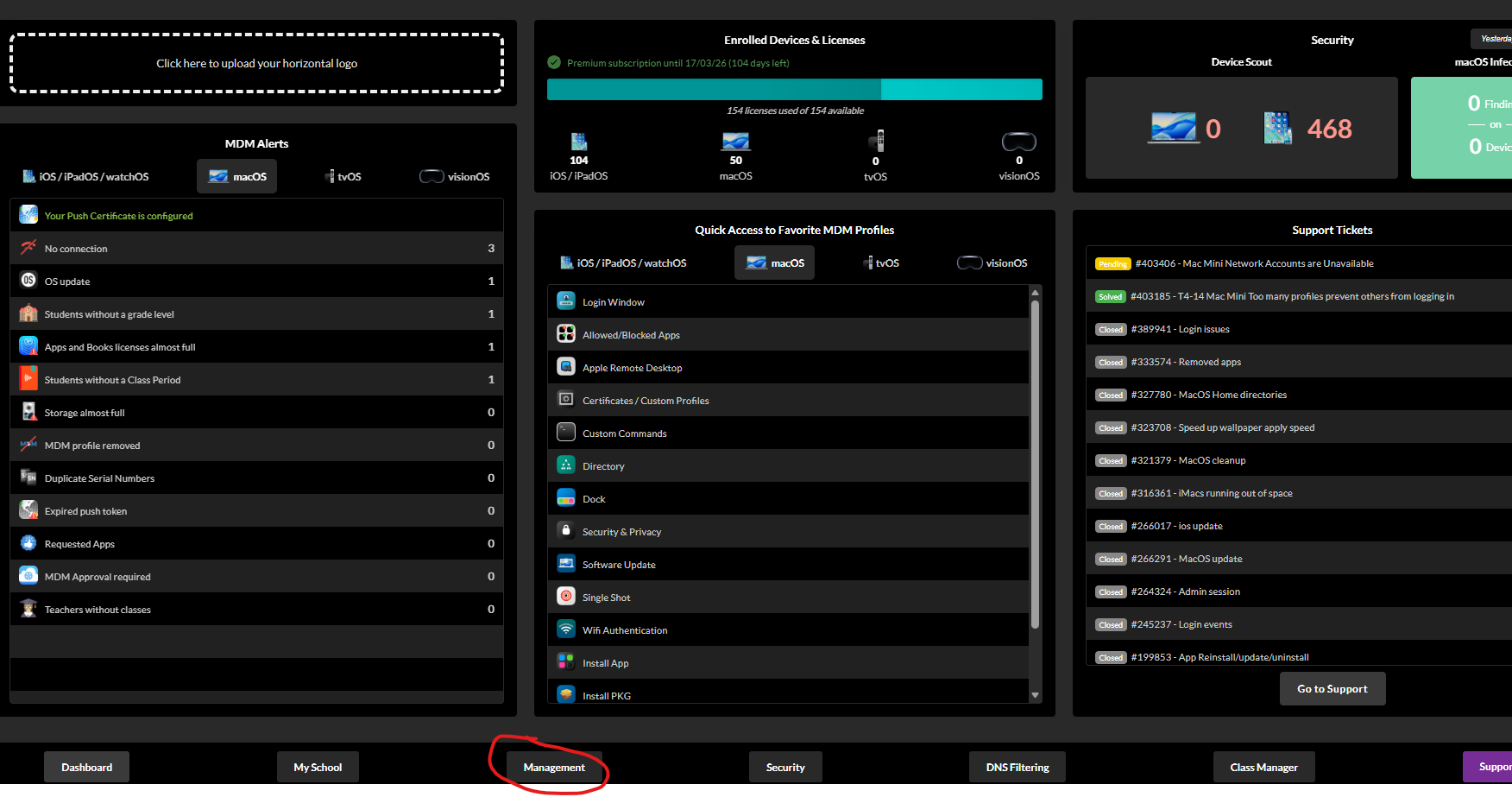
Click Management to bring up the list of Macs on domain.
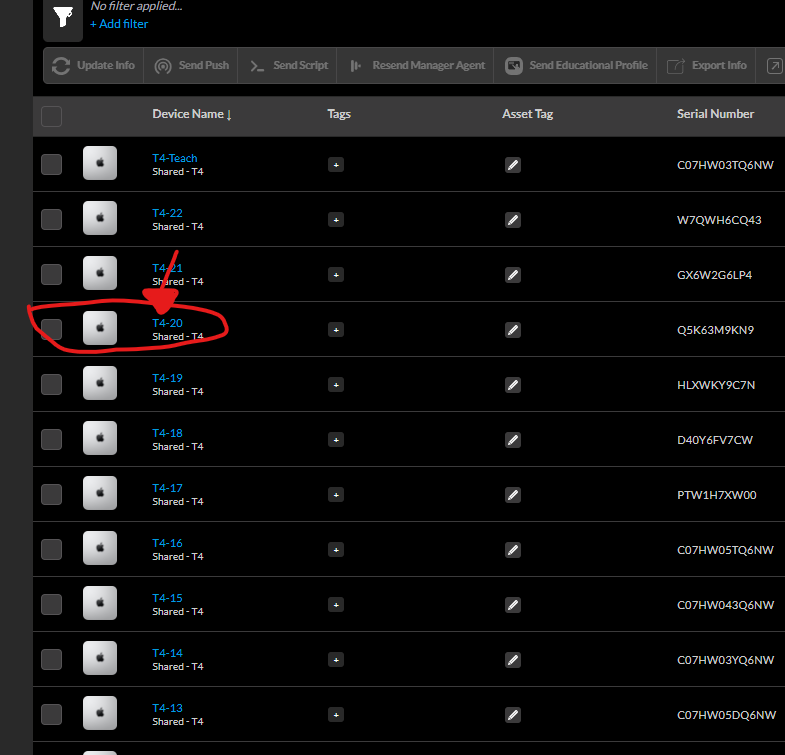
Choose a Mac you want to run the script on.
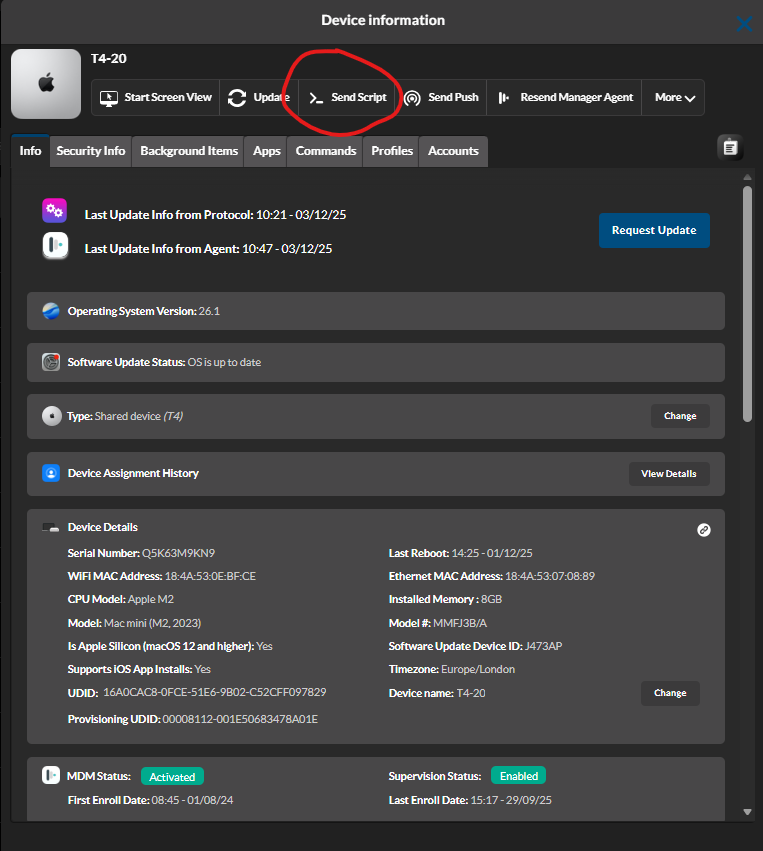
Once on the Mac's info screen, Select "Send Script"
In the Free Scripting section, Post the script here.
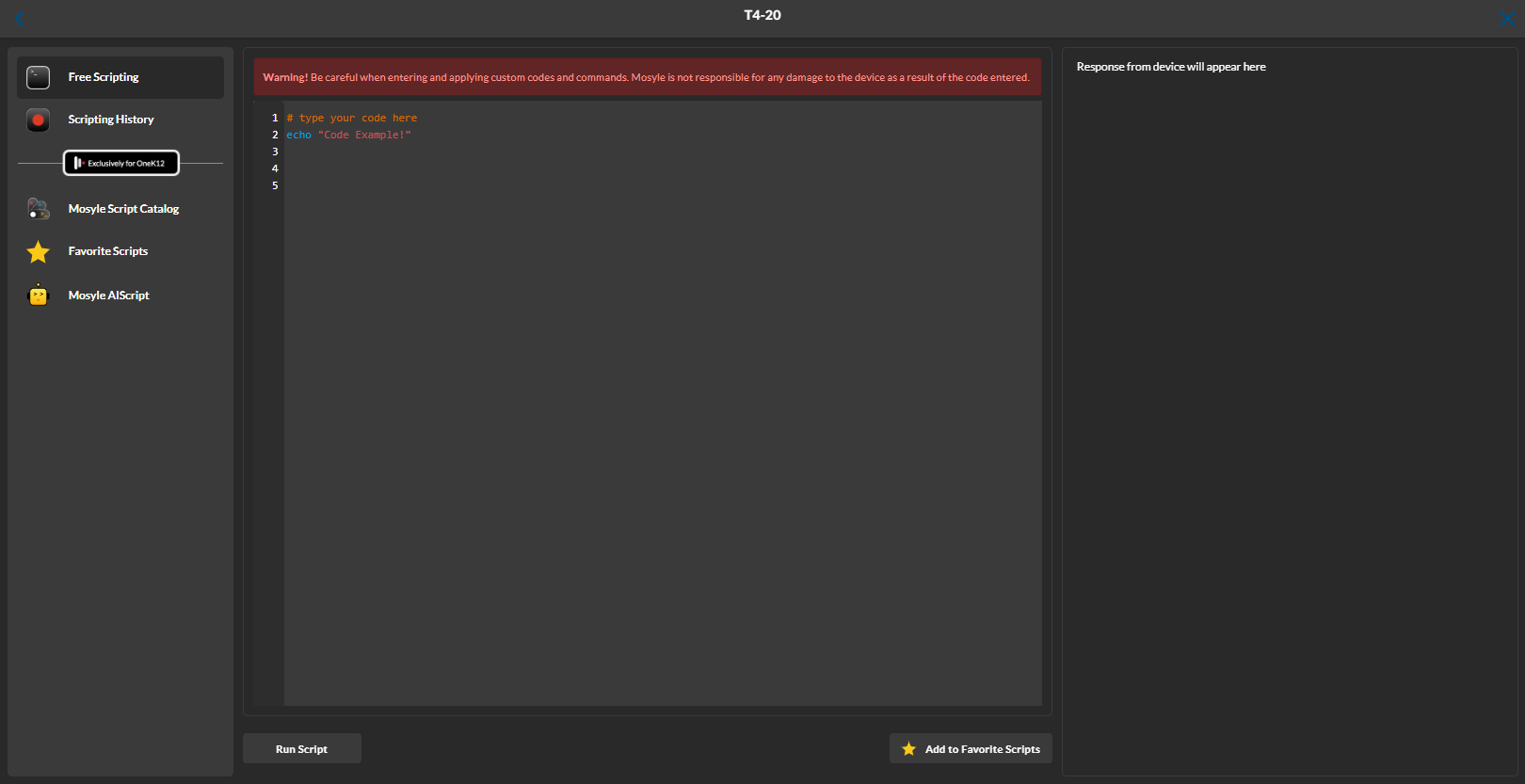
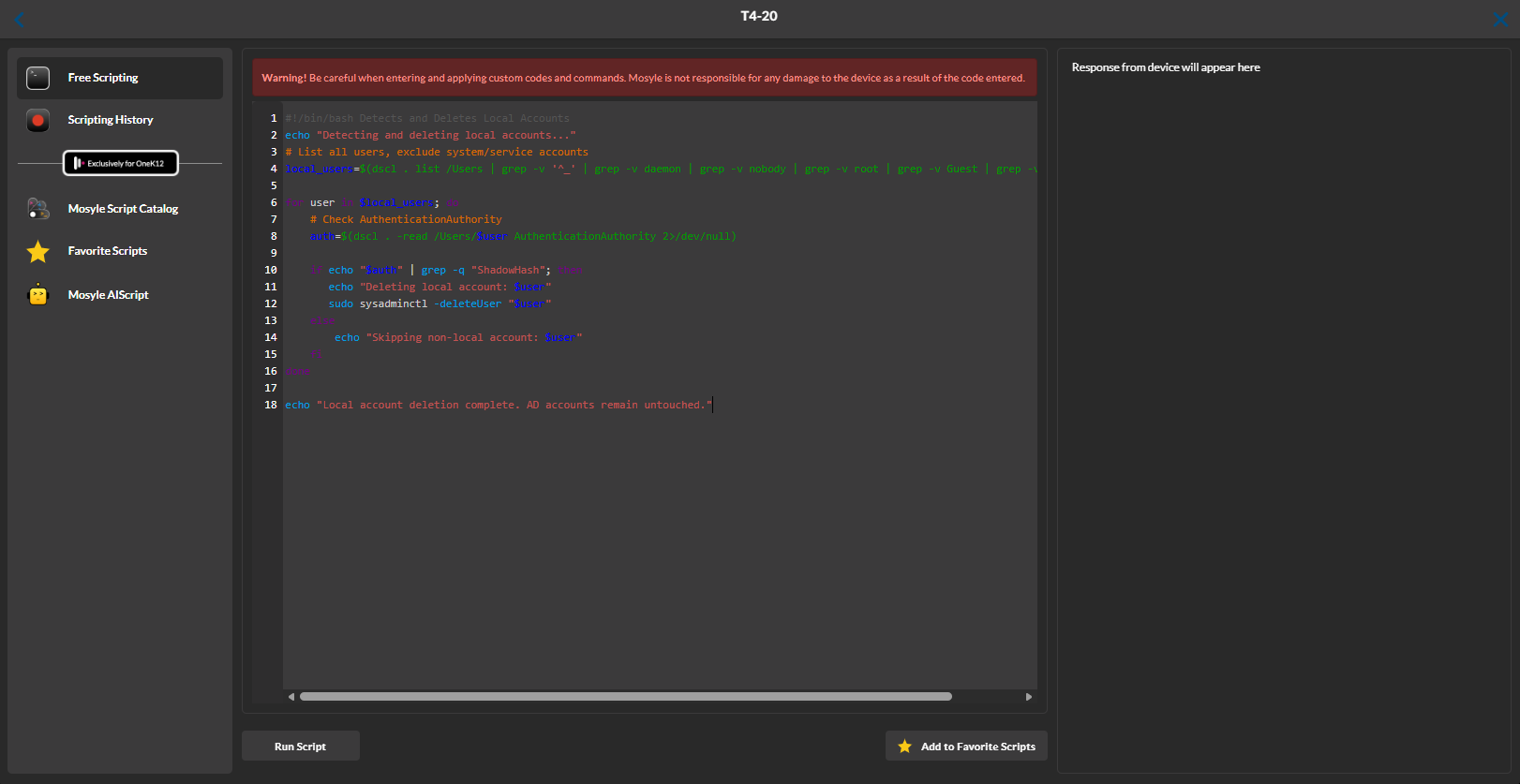
Once done, you can select Run Script which will then output information on the right hand side of this screen, detailing what users are being deleted and what storage space has been freed up.
Was this article helpful?
That’s Great!
Thank you for your feedback
Sorry! We couldn't be helpful
Thank you for your feedback
Feedback sent
We appreciate your effort and will try to fix the article